
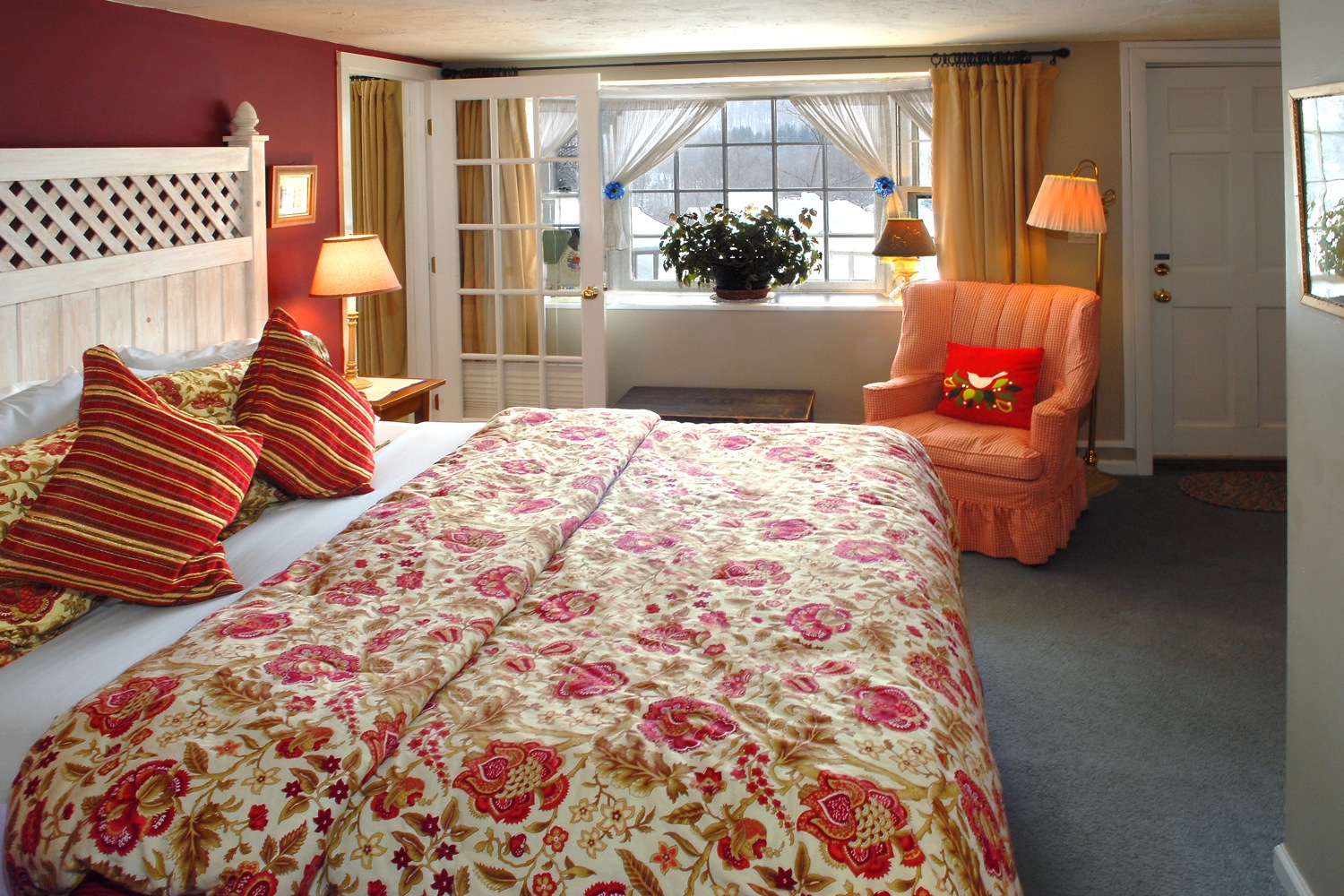
Welcome to our Garden Suite!
If you are a Returning Guest, welcome back! If you have not visited us before, please feel free to explore the house and the grounds – we hope you will quickly feel at home. If there is anything at all that we can do to make your stay easier or more pleasant, you have only to ask.
Using Your Alarm Clock / Charging Station / Speaker System
Using Your Cable TV, DVD and Chromecast
Guest Information
Ariane and Scott live at the Inn and are always available. There is a doorbell in Reception, and another outside the front entrance – both ring in our apartment above Reception – or you can reach us at any time by phone on 802-464-3100 or by text on 802-549-4438. Don’t hesitate to contact us if you need help or information.
There is fast Wi-Fi in all guest rooms and common areas at the Inn. If you should have any trouble connecting, let one of us know and we will be happy to help. Your cellphone may not work well at the Inn, as some cellular networks are not reliable in the Green Mountains, however you can make calls over our Wi-Fi network.
Your alarm clock can be used as a USB charging station as well as a Bluetooth-enabled speaker system – please see below for some simple instructions on its use, together with instructions for using your TV and DVD player and Chromecast device.
There is a hairdryer in your bathroom. If you would prefer to use one in the bedroom, please let us know. If you have forgotten any personal items such as toothbrush, toothpaste, shaver or deodorant, we can provide you with these items – please inquire at Reception. We also keep a small stock of basic First Aid items, pain medication and insect repellent – just ask at Reception. In the closet are two microfiber robes for your use during your stay, and there are extra facial tissues and toilet paper in your bathroom cabinet.
For heat in your suite there is baseboard heating as well as a gas fireplace. The fireplace can be set using the thermostat on the wall just to the left. Electric baseboards, under the windows, can be adjusted using the thermostat dials near the doors. There is also a baseboard with small dial in the bathroom and another across in the spa bath area. During the summer months your room is equipped with an air conditioner. The controls are fairly straightforward: power on/off and temperature up/down … please ask us if you need help.
The spa bath area is equipped with a jetted bathtub. To operate the jetted tub, please ensure the water level is 2 inches above the jets before turning them on – press the indented button in the far left corner. Press the button again to turn off the jets.
If you would like to smoke, you may do so in your outdoor seating area, in the front porch of the Inn, or in the garden – provided no other guests are inconvenienced. We will be happy to provide you with an ashtray. By Vermont law smoking is prohibited everywhere indoors or where smoke may drift indoors – thank you.
We normally lock the front and side doors of the Inn at about midnight. After that, you will need the code to unlock the door until we open the Inn early in the morning. The 4-digit door code is on the back of your room key fob. If you have any difficulty, don’t hesitate to ring the doorbell or give us a call!
Safety
In the event of a fire alarm please leave your room at once, by the nearest door. Once outside the Inn, please gather in the front parking lot next to your vehicle.
There are many fire extinguishers throughout the Inn, and all rooms and common areas are equipped with smoke and carbon monoxide alarms, all of which are tested and maintained regularly.
Using Your Alarm Clock / Charging Station / Speaker System
Your alarm clock serves as a USB charging station as well as a Bluetooth-enabled speaker system.
To turn the alarm ON or OFF, press the knob on the top of the unit. When the alarm time is flashing, set the alarm time by rotating the knob. The alarm will be set to the selected time after a few seconds.
To send audio to the speakers, you will need to pair your mobile device to the unit using Bluetooth. First open the Bluetooth settings on your mobile device. Then press the Bluetooth button on the front of the unit, which will flash. The unit will become discoverable on your mobile device. Simply select “CubieBlue” in your mobile device’s settings and they will be paired. The unit’s speakers will now play audio from your mobile device. Volume can be adjusted by rotating the knob on the top of the unit.
The brightness of the unit’s display can be adjusted using the Snooze/Dimmer button on the top of the unit. There are 4 brightness settings, and pressing the Snooze/Dimmer button will toggle among them.
Using Your Cable TV, DVD and Chromecast
There are two televisions in Garden Suite; both are connected to cable with channels ranging from 2 to 99. Channel 3 is the channel guide. For the bedroom TV, using the INPUT button on the TV remote, set the input source to ANT / CABLE; for the sitting room TV, using the INPUT button set the source to TV.
There is a DVD collection in the second-floor sitting room of the Inn to enjoy during your stay with us. To watch a DVD on the bedroom TV, using the INPUT button on the TV remote, set the input source to HDMI 1. To watch a DVD on the sitting room TV, using the INPUT button on the TV remote, set the input source to HDMI.
Your bedroom TV supports streaming video through Chromecast. Using the INPUT button on the TV remote, set the input source to HDMI 2. To stream video from your phone or device, connect to the Deerhill-Guest Wi-Fi network on your device and ensure streaming is enabled (for example, on an iPhone go to Settings / Privacy / Local Network). Then use the broadcast icon to stream from your video service to the TV.
View our Cable TV Channel Lineup.